COGZ Paperless Work Order Email System Activation
The Paperless Work Order System allows you to send and complete work orders by email, providing worker efficiency and quicker communication. The activation options available for the COGZ Computerized Maintenance Management Paperless Work Order Email System are below. Your Work Order Email Notification System will not work until the features below are activated.
*Please Note: If you have multiple properties, email features must be active for each property.
Paperless WO Tab
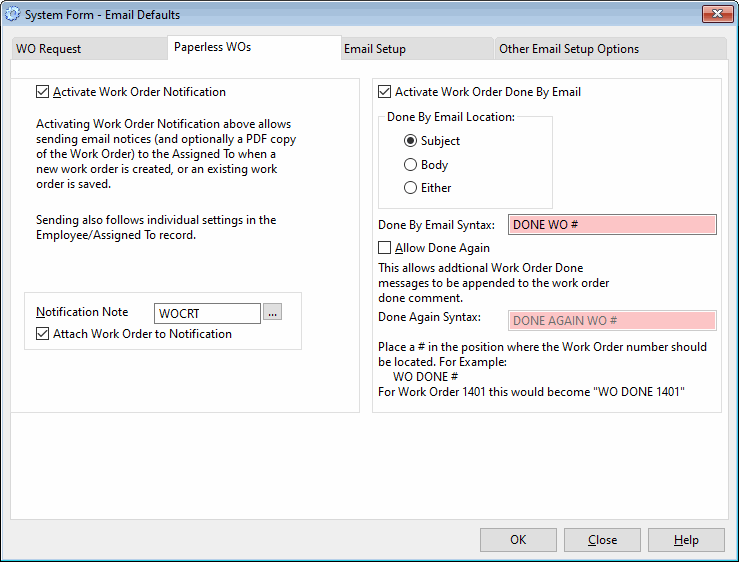
Paperless Work Order Options
Available with the Paperless Work Order Module and Email Module.
- Activate Work Order Notification: When checked, email notice will follow Employee List settings for sending new Work Order Email, when email Address available.
- Notification Note: Select Note to include in notification email.
- Attach Work Order to Notification: When Checked, allows sending a PDF copy of the work order with the email notification. If checked, this function then follows the setting in the Employee/Assigned to List.
- Activate Work Order Done by Email: When Checked, allows Email Done updates to be sent to COGZ
- Done By Email Location: Select where Done Syntax must be entered on Incoming Email for Work Order to be marked Done.
- Done By Email Syntax: Enter Wording Required to Mark Work Order Done. “#” indicates location of Work Order Number.
- Allow Done Again: Check to allow multiple Done Emails
- Done Again Syntax: Enter Wording Required to Mark Work Order Done multiple times. “#” indicates location of Work Order Number.
Mark Work Orders Done
This feature is part of the optional Paperless Work Order Module. Email Done
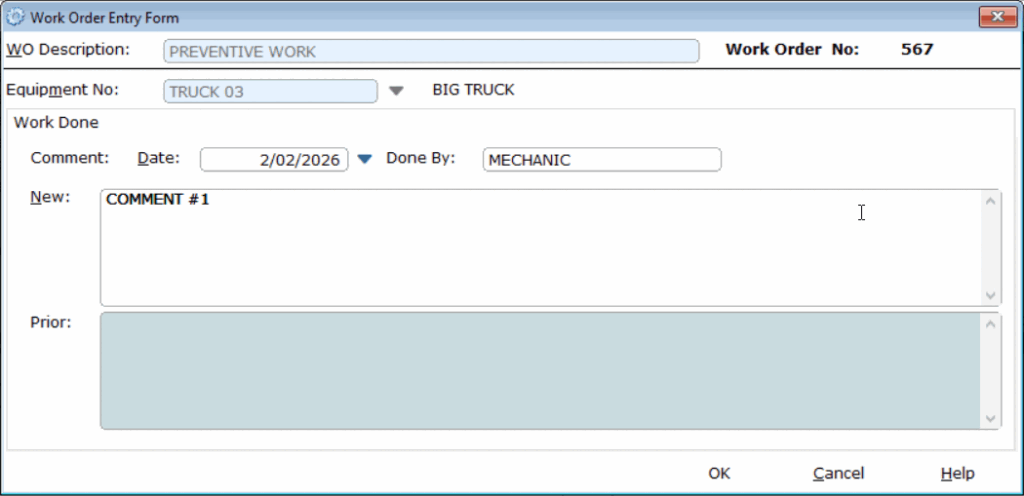
Notification Comments are automatically entered here. Alternatively, comments may
be entered manually, using the Done Button on the Work Order List, as appropriate.
These comments will show as suggested input when the work order is closed.
Work Done Entry, Work Order Entry Form