
COGZ Work Order Scheduling Assistant
COGZ Work Order Scheduling Assistant is part of the COGZ Work Order Enhancement Module. The Work Order Scheduling Assistant is located on the Work Order List under the Schedule Tab, and makes it easy to schedule and balance work loads for your maintenance team.
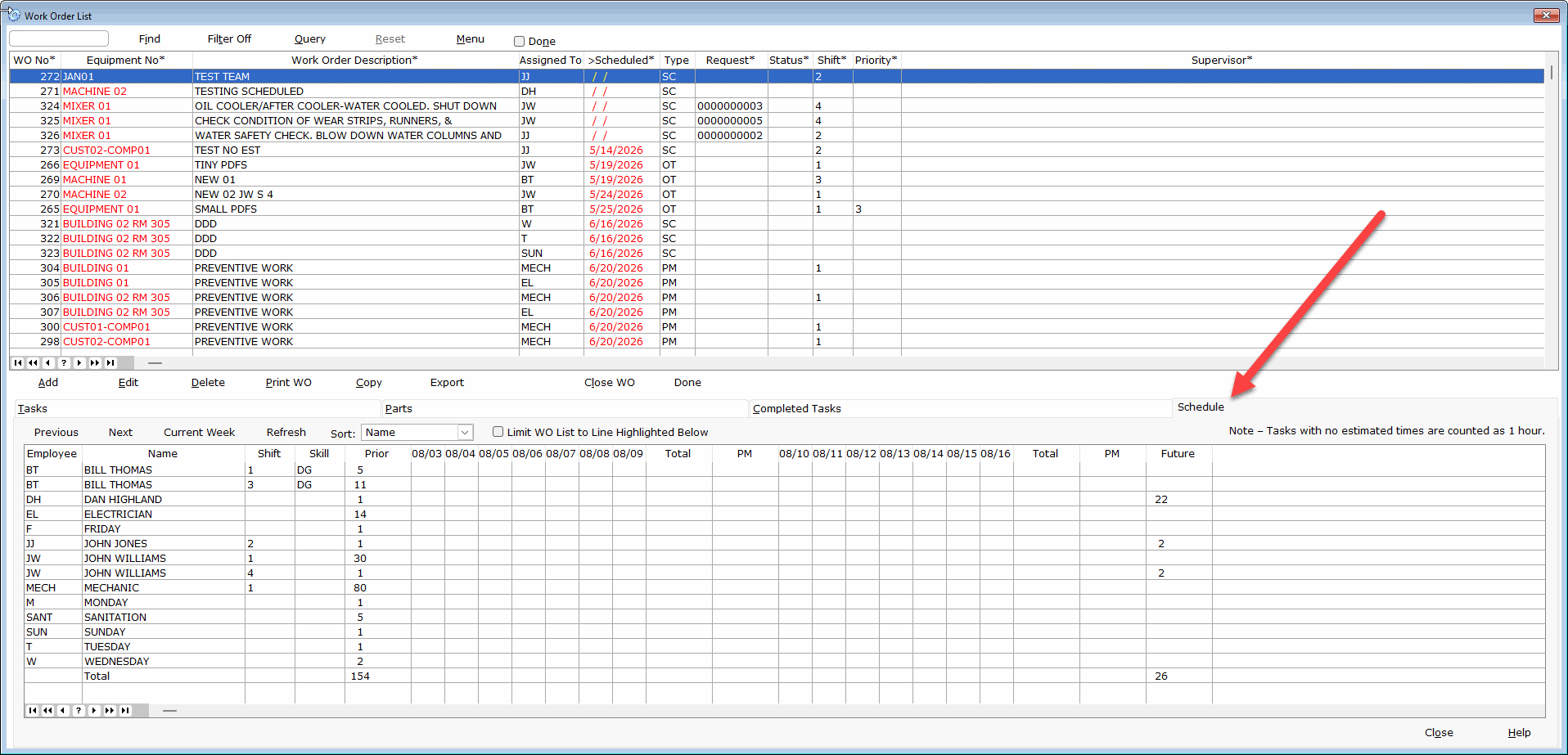
How Does it Work?
COGZ Work Order Scheduling Tool uses data from COGZ Work Order List to determine real-time Work Order Status. Open work orders are displayed on the scheduling tool based on the date scheduled and the employee the work order is assigned to.
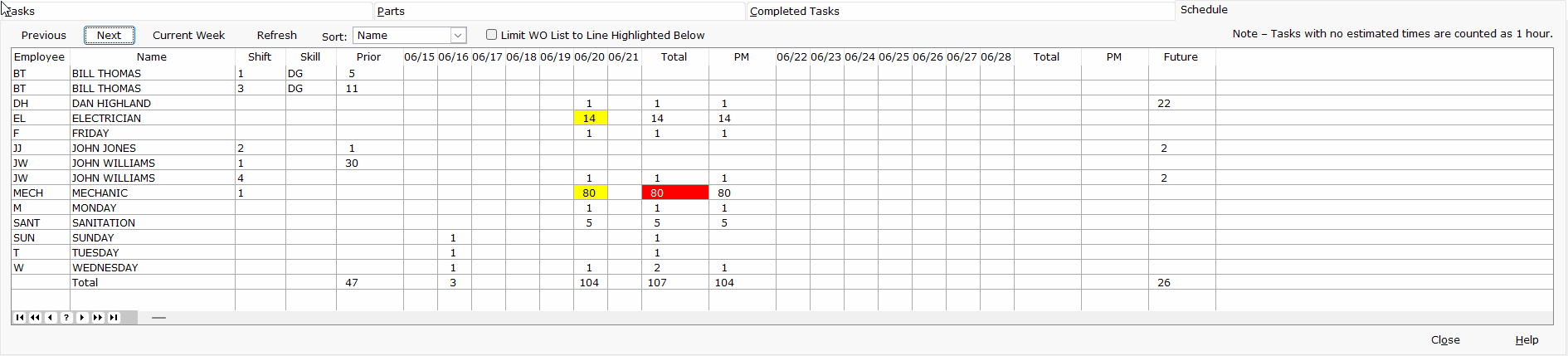
The display shows the current week and the subsequent week. Use the Previous or Next buttons to adjust the view.
Days with greater than eight hours scheduled for an employee are highlighted in yellow. Weeks with more than 40 hours scheduled per employee are indicated in red. The list may be sorted by Name, Shift, Skill or Priority.
Check the box to Limit WO List to Line Highlighted Below to display only the work orders associated with that employee on the work order list.
If you find that an employee has too many work orders assigned to them you may bring up the work orders for that employee by double clicking on that employee.